

5 Minutes to Make AI Your Second Brain





Original Title: Claude Code + Obsidian Ultimate Guide (build an AI second brain)
Original Author: AI Edge
Translation: Peggy, BlockBeats
Editor's Note: This article introduces a personal knowledge system built on Claude Code and Obsidian, where the core focus is no longer on the traditional RAG mode of "one-time query, temporary retrieval," but rather on attempting to have AI continuously build and maintain an evolving knowledge base (Wiki).
Structurally, the system can be divided into three layers:
· The first is the raw data layer, including notes, articles, transcribed content, and other immutable input sources;
· The second is the AI-maintained structured knowledge base, which completes cross-referencing and relationship building through continuous updates;
· The third is the Schema rule layer, used to standardize the organization of knowledge and the operational logic of the system.
Based on this structure, the system operates through three core actions: Ingest, continuously incorporating external information into the system; Query, enabling real-time access to knowledge; Lint, used to check structural consistency and resolve potential issues.
Within this mechanism, knowledge no longer remains limited to one-time conversation results but gradually crystallizes into reusable long-term assets through a "write-organize-reuse" cycle. The author suggests that this model endows knowledge with an accumulation effect similar to "compound interest": on the one hand, reducing individual cognitive burden, and on the other hand, enhancing the accuracy of model outputs and contextual consistency.
However, the effective operation of this system also relies on one premise—continuous input and maintenance. Without stable data injection and structural updates, this "second brain" will struggle to truly accumulate the expected benefits, and its advantages will consequently diminish.
The following is the original text:
Claude Code + Obsidian is the most powerful AI combination I have ever used.
I have virtually built an "AI second brain" that encompasses all my thoughts, readings, writings, online research, etc. It includes my business plans, all the YouTube videos I have ever published, articles I have written, and everything else that is important to me.
Claude Code + Obsidian has quickly gained popularity across various platforms, and this is no coincidence.
Personally, this AI system has greatly reduced my cognitive load, allowing me to focus on truly important things—whether in business or personal life.
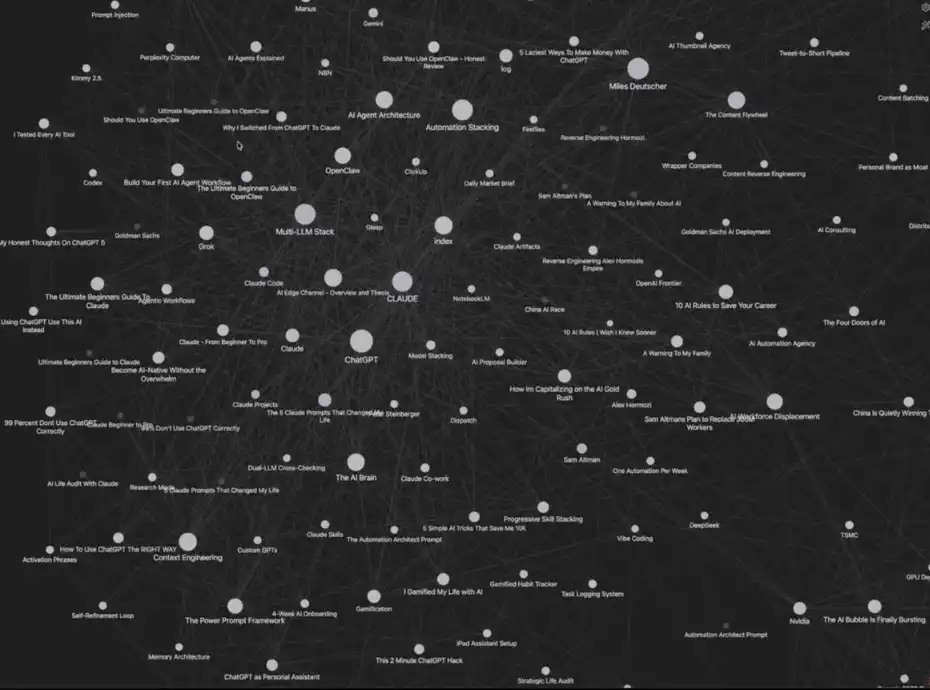
My Claude Code + Obsidian System
While this system may seem a bit complex, setting it up actually only takes 5 minutes. More importantly, it comes with a memory mechanism that continuously self-improves with use.
Next, I will walk you through replicating this "AI Second Brain" system, which truly can enhance your efficiency.
I suggest you read to the end of the article—I will provide a complete Claude Code + Obsidian Cheat Sheet, as well as all the mentioned resources (all free).
Before We Begin
This system is not my original creation alone; its inspiration comes from Andrej Karpathy's viral tweet a few days ago about the "LLM Knowledge Base."
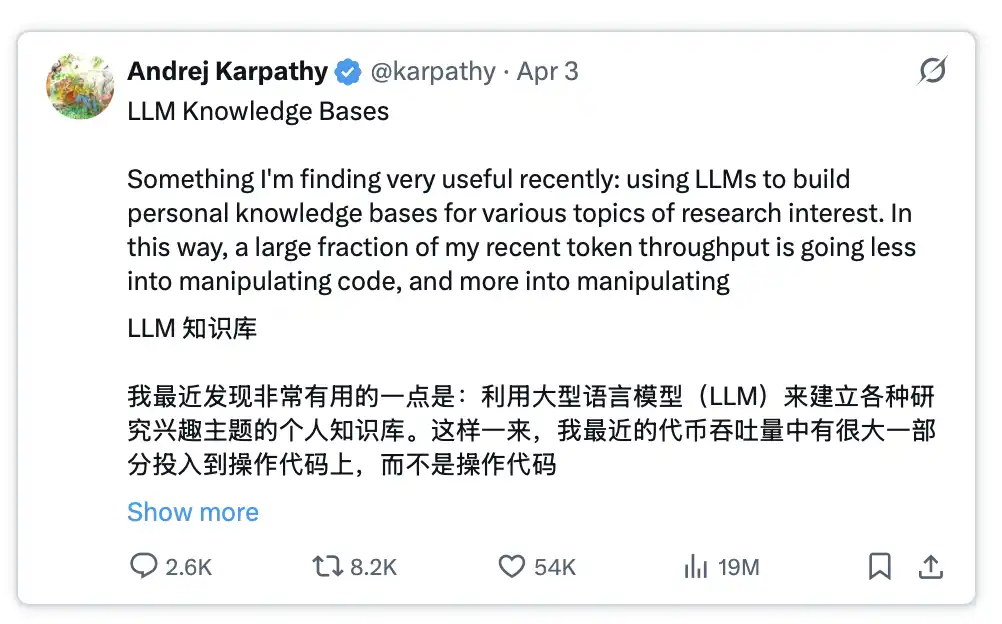
Related Reading: https://x.com/karpathy/status/2039805659525644595
This tweet quickly went viral because it provided a roadmap to address a key pain point in current AI development.
The problem is this: every time you start a new conversation or switch to a new AI tool, you have to repeatedly re-enter prompts, provide context, essentially starting from scratch.
By integrating these system prompts with Obsidian and Claude Code, this problem can be completely solved, while also significantly improving the quality of AI output.
How Does This System Work?
The entire system consists of four core modules:
1. Your data: including articles, notes, transcribed content, inspirational ideas, etc.
2. Organization: automatically done in Obsidian through Claude Code
3. Instant Invocation: you can query this "database" at any time and get answers
4. Evolutionary Memory: The system will become smarter with use
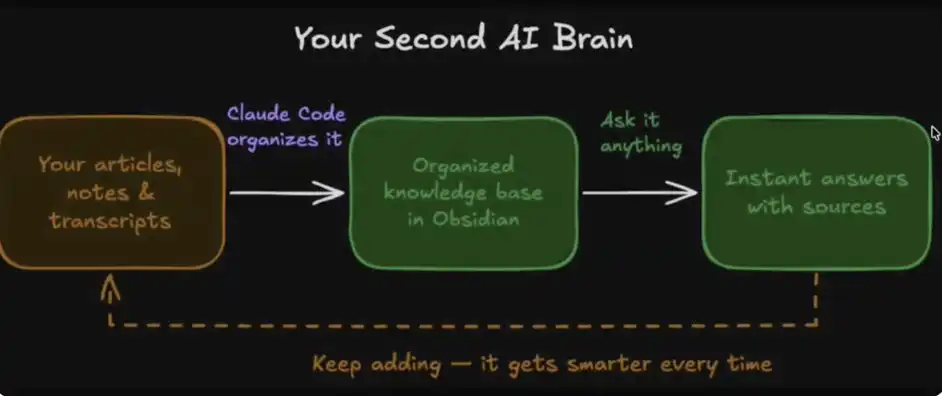
Your AI Second Brain
What is the true power of this system?
As humans, our cognitive bandwidth is limited. We forget, and sometimes it's hard to connect different ideas, as there is a limit to the amount of information we can track and process simultaneously.
However, with this system composed of four modules, you are actually unburdening your cognition, handing over the work of "connecting, organizing, and understanding information" to Obsidian and Claude Code.
Your ideas start to be systematically linked together, where one note can automatically relate to another, and you can retrieve, remix, and recall this content anytime through Claude.
In this structure, your knowledge is no longer fragmented but rather a network that can be continuously called upon and reconfigured—almost limitless.
How to Build Your AI Brain in 5 Minutes
1. Download Obsidian
Website: https://obsidian.md/
https://obsidian.md/
2. Create Your Vault (Knowledge Base)
After downloading, Obsidian will prompt you to create a "Vault."
You can think of it as a folder on your computer where we will store all content and allow Claude Code to access and manage this data.
You can freely set the name of this Vault—for example, I call mine "Obsidian Vault."
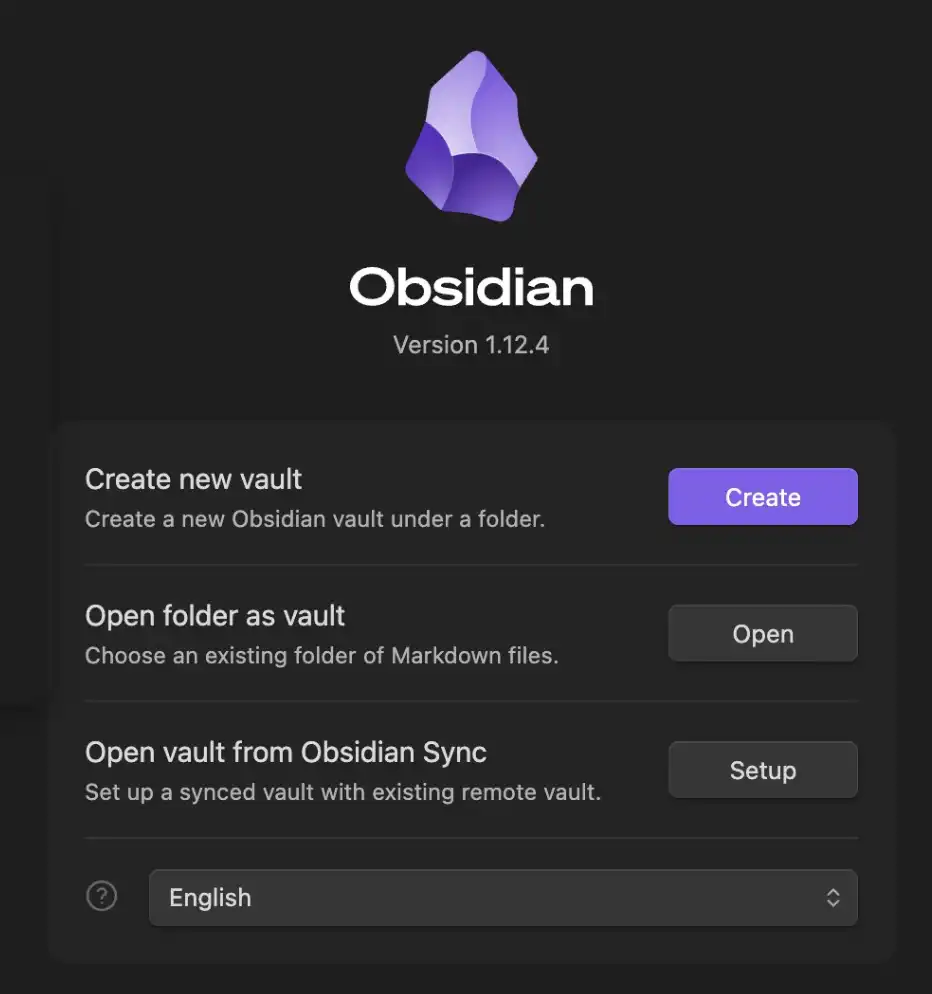
Obsidian Vault (Knowledge Base)
This Vault is where Obsidian stores all your data and notes, and all content is saved in the form of MD (Markdown) files.
3. Set Up Claude Code
Next, you need to set up a way to access Claude Code. For me (and probably for most people), the easiest way is to use the desktop client directly.
In the main chat interface, click on "Select Folder," then navigate to the Obsidian Vault you just created and select it.
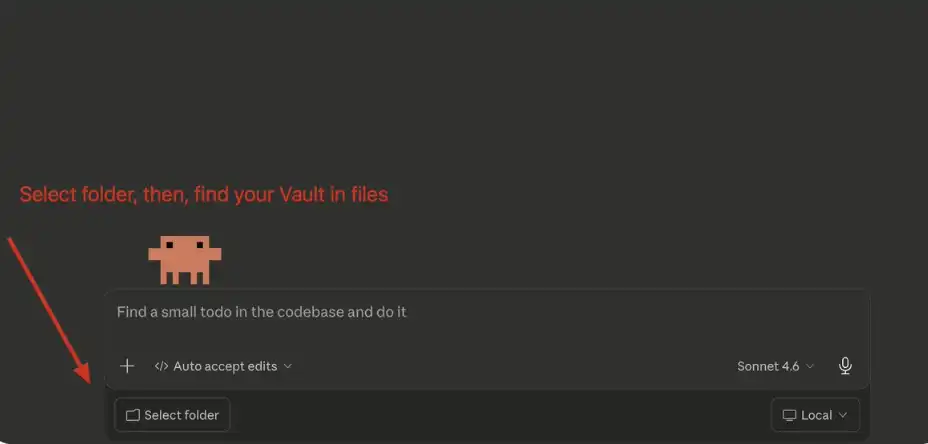
**Claude Code: Connect Your Vault**
4. Set System Prompt
Once you have selected the folder, the next step is to paste Andrej Karpathy's system prompt into the main chat box.
You can copy the prompt from here: https://gist.github.com/karpathy/442a6bf555914893e9891c11519de94f
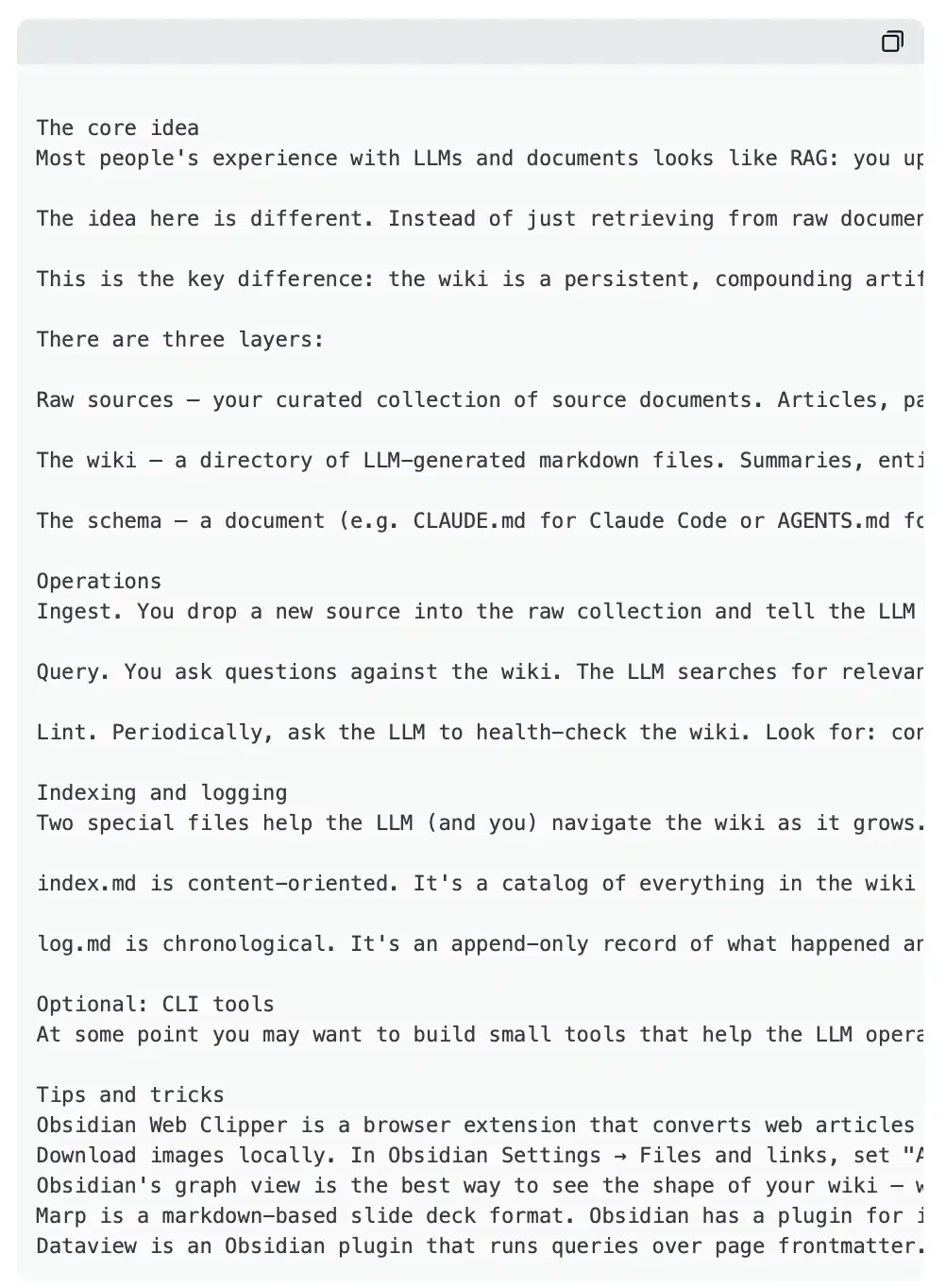
Your input should look like this:
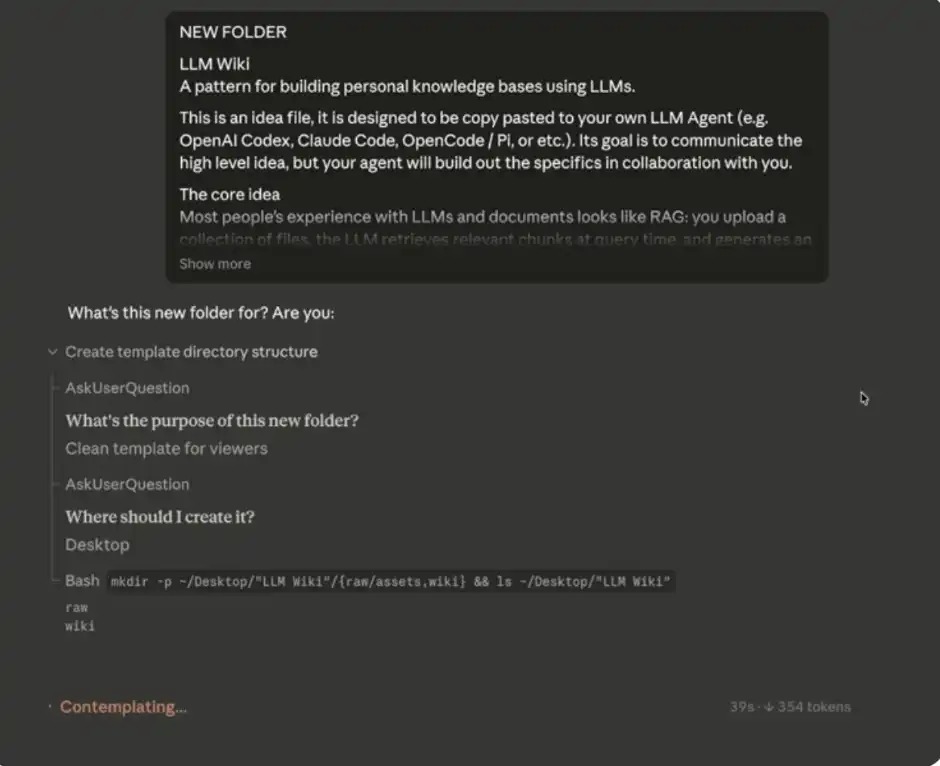
**Claude Code Initial Input**
Pro Tip: If you prefer, you can completely avoid manually opening Obsidian. Just provide the MD folder (your Vault) and relevant data to Claude Code, and it can directly read, write, and modify these files — with the content automatically syncing to your Obsidian "second brain."
5. Build Your Database
After you have entered the system prompt above, Claude Code will start asking you about some data sources to initialize and gradually populate your "second brain."
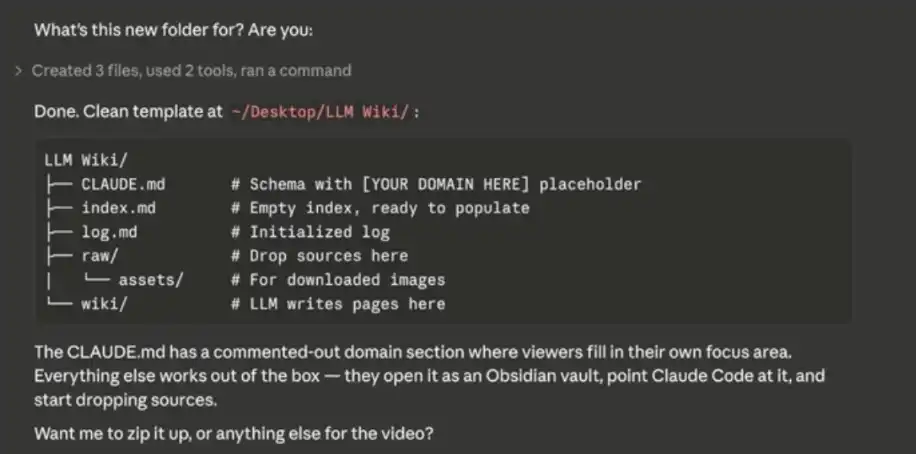
Build Your Database
You can think of Obsidian as a "blank notebook" — initially, you need to actively input content for the database to gradually build up. Importable content includes: notes, CSV files, Markdown/text files, and more.
Some practical advice:
· Export data from your existing note-taking tools
· If you use Notion, you can export it as a CSV file
· Have Claude (or another large model) compile information about you to initialize your "second brain"
· Import all your existing articles, bookmarks, ideas, etc., at once — this is the best time to establish initial data, and you can always add more later
It's important to note that for a database like mine with a large amount of data, it is not built in a day but rather inputted over time, gradually accumulating.
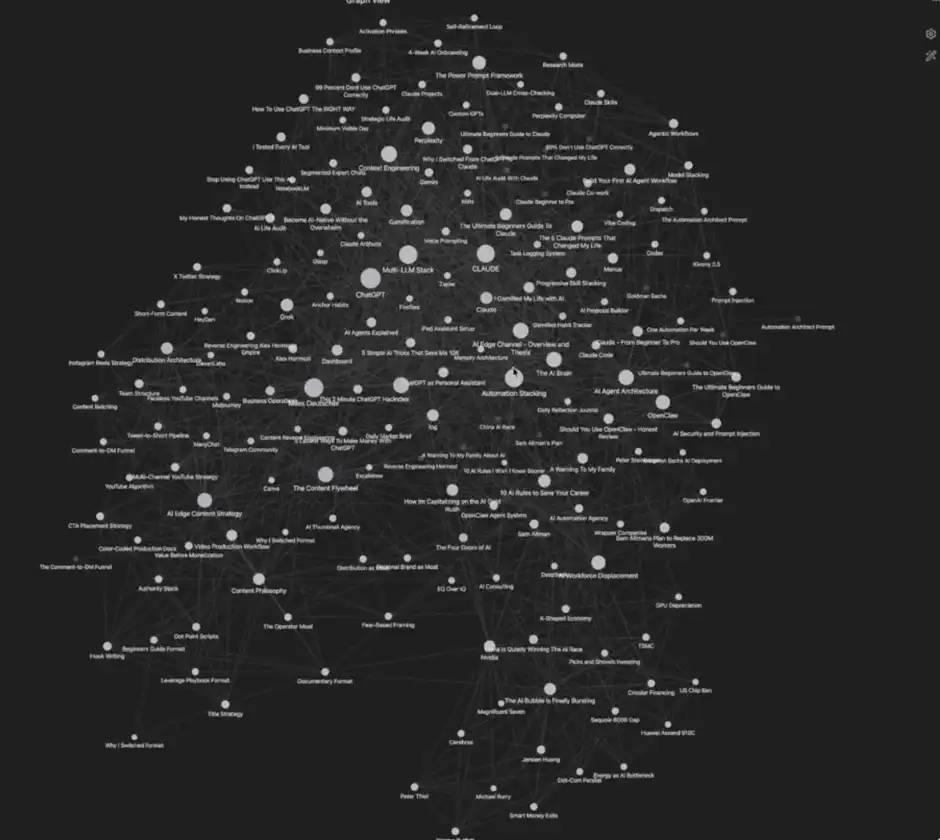
My Database
There you have it, your "AI second brain" has been constructed and is ready to go. Next, I'll share some advanced tips to help you use it more efficiently.
Advanced Tips
1. Obsidian Chrome Extension
If you want to easily add data to the system, just install the Obsidian Chrome extension. It allows you to click "Add to Obsidian" while browsing the web, instantly saving content to your knowledge base. This will make the process of building your "second brain" very convenient.
I often use this feature myself to collect articles, web data, research materials, and more.
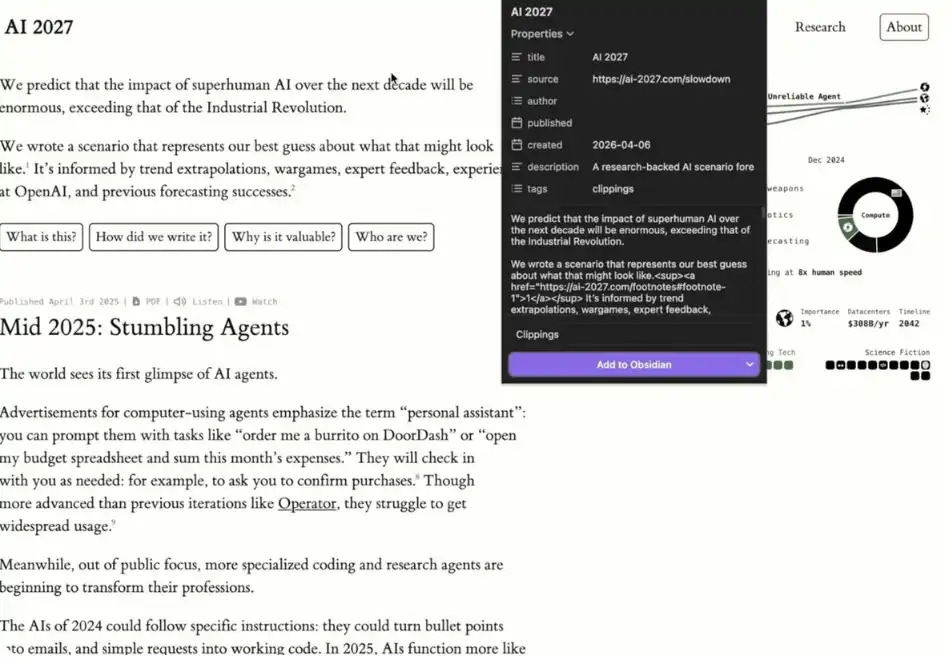
Example: Using the Obsidian Chrome Extension
It's important to note that data added through the extension initially exists as a "standalone data source."
Next, you can tell Claude Code, "I just added [x] in Obsidian, please help me integrate this content into my Wiki."
Claude Code will automatically associate this new data with existing content, create links, and truly integrate it into your "second brain." This is also why this toolset is powerful.
2. Establish Separate Vaults
Andrej Karpathy suggests using two separate vaults:
· One for work/business content
· One for personal life/goal management
My own experience confirms that this structure is the clearest and most effective.
3. Practicality
I've found the most valuable use case of this system to be quite simple: making your LLM prompts more precise.
When the model has access to your full personal information, business plans, writing background, and other contexts, it can generate more "customized," realistic, high-quality prompts (even "super prompts").
Of course, this system has far more applications, but if you're looking to start with the most practical scenario, I would strongly recommend beginning with "improving prompt quality."
4. Orphans
In Obsidian, "Orphans" refer to data points that are not connected to other notes.
This feature is useful because it can help you:
· Find ideas that have not yet been integrated
· Discover "weak spots" in your database
· Determine which content is worth further expanding or deepening
In other words, it serves not only as an organizational tool but also as a mechanism to help you identify blind spots in thinking.
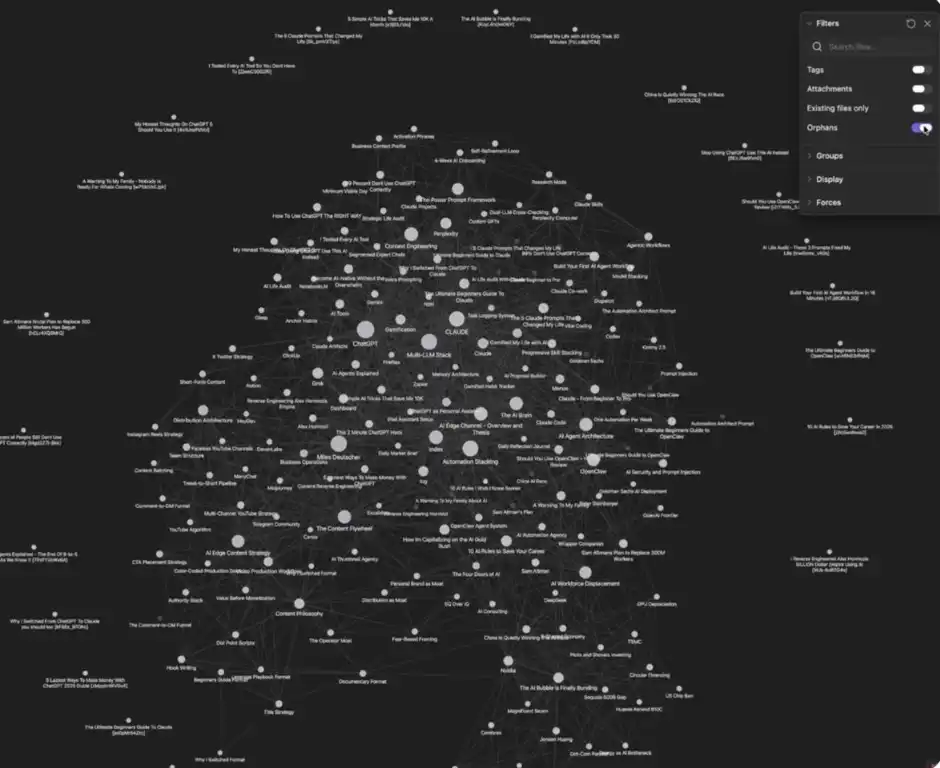
Orphans
You can click on the "three dots" in the upper right corner, find and enable the Orphans toggle to see which content has not been linked yet.
Potential Drawbacks of This System
Earlier, we discussed many advantages, use cases, and optimization methods. So, what are its shortcomings? In what situations might you not be suitable for using this system?
1. Those Unaccustomed to Visualization
One core advantage of this system is the ability to visualize data. If you do not rely on or are unaccustomed to this method, its assistance to you may be limited.
2. Requires Some Maintenance Cost
If you are not willing to consistently maintain a database, then this system may not be suitable for you. Although the maintenance cost is not high, it is difficult for it to provide value if you do not consistently input data into your "second brain."
3. Storage Usage
All content will be stored locally in the form of Markdown files, which will take up some device space. This is also something to consider in advance.
You may also like

The arrival of the Web 3.0 era: A review of Hong Kong court rulings on digital assets

Track Markets At a Glance: New WEEX Price Widgets for iOS & Android
To streamline your market data access, WEEX has officially launched "Market Watchlist" desktop widgets

The billion-dollar lesson: The focus of DeFi security is shifting from code to operational governance

A Brief Analysis of Stablecoin Licenses and On-Chain Funding
BVNK Founder: Three Stages of Stablecoin Development
The truth about Trump's son's Bitcoin game: he made a staggering $100 million while retail investors lost $500 million

What Is Futures Trading? Hours, Platforms, and How to Start Trade Futures(2026 Guide)
Learn how to start futures trading, understand trading hours, and choose the best futures trading platform. Includes real data, strategies, and ways to maximize returns with rebates.

The Rise of Composable RWA

MAGA Up 350% in 24 Hours, PEPE Up 46% in One Day: Which Memecoins Are Next in 2026?
MAGA +350% in 24hrs. PEPE +46% in one day. RAVE +4,500% then -90%. In 2026's memecoin market, the gains are real. So are the traps? Here's how to tell the difference before you buy.

RCD Espanyol vs Real Madrid: Can the Pericos Delay the Inevitable?
RCD Espanyol vs Real Madrid lineups, standings, and stats for May 3, 2026. Real Madrid visits RCDE Stadium as Barcelona closes in on the LALIGA title. Full preview inside.
MegaETH goes live with an FDV exceeding 2 billion USD. Which ecological projects are worth paying attention to?

Dialogue with "Wood Sister" Cathie Wood: The next bull market is about to arrive
Can prediction markets win the competition for perpetual contracts?

Who is trading on Trade.xyz?

Binance quietly placed a bet on a leading large model company

Best Crypto Discord Server 2026: Why Jacob’s Crypto Clan Is Gaining Massive Attention
Jacob’s Crypto Clan has grown into one of the most active crypto Discord communities, with over 45K members and continuing to expand. This rapid growth reflects strong demand for structured trading insights and real-time collaboration.

Tom Lee Buying ETH: Why Wall Street’s Loudest Ethereum Bull Keeps Doubling Down
Tom Lee keeps buying ETH through every dip, every drawdown, and every moment of market doubt. Inside the strategy that's turning Ethereum into a treasury asset — and what it signals for the rest of the market.

Stripe Sessions 2026: AI Agent, Global Payments, and Invisible Crypto Infrastructure
The arrival of the Web 3.0 era: A review of Hong Kong court rulings on digital assets
Track Markets At a Glance: New WEEX Price Widgets for iOS & Android
To streamline your market data access, WEEX has officially launched "Market Watchlist" desktop widgets
The billion-dollar lesson: The focus of DeFi security is shifting from code to operational governance
A Brief Analysis of Stablecoin Licenses and On-Chain Funding
BVNK Founder: Three Stages of Stablecoin Development
The truth about Trump's son's Bitcoin game: he made a staggering $100 million while retail investors lost $500 million

Contents
Popular coins
Latest Crypto News


